Distribute redeem codes via notifications
You can distribute the redeem codes via the notification types:
- A mobile push notification.
- An in-game popup notification.
To engage the players on the game hub via the notifications with the redeem codes, you should:
- Make sure everything is ready.
- Create the Free Item coupons.
- Implement the
item.addwebhook. - Launch a LiveOps campaign.
- Implement the notification webhook.
- Optional. Embed a deep link to the popup text.
Make sure everything is ready
Before you begin, integrate the Checkout.
Create Free Item coupons
To have the redeem codes for free items, you need the coupons with the Free Item type.
To create the redeem codes, use the POST Create Coupon API call.
Implement item.add webhook
To automatically grant the items to the player accounts when the codes are redeemed, implement the Item Add (item.add) webhook.
Launch LiveOps campaign
The LiveOps campaign should have:
- The conditions set for the notification triggering.
- The redeem codes set into the notification text.
Use the API calls:
- POST Create Campaign — for creation.
- POST Trigger Campaign — for launching.
Implement notification webhook
Implement the ingame.push or ingame.popup webhook to show the push message or in-game popup to the players.
The Aghanim triggers webhooks according to the LiveOps campaign.
Optional. Embed deep link to popup
If you have implemented popups, embed a deep link into the popup text. It should:
- Redirect the players to the redeem code page of the game hub.
- Provide the players seamless authentication and code redemption.
- Allow the players to claim the free items linked to the redeem codes.
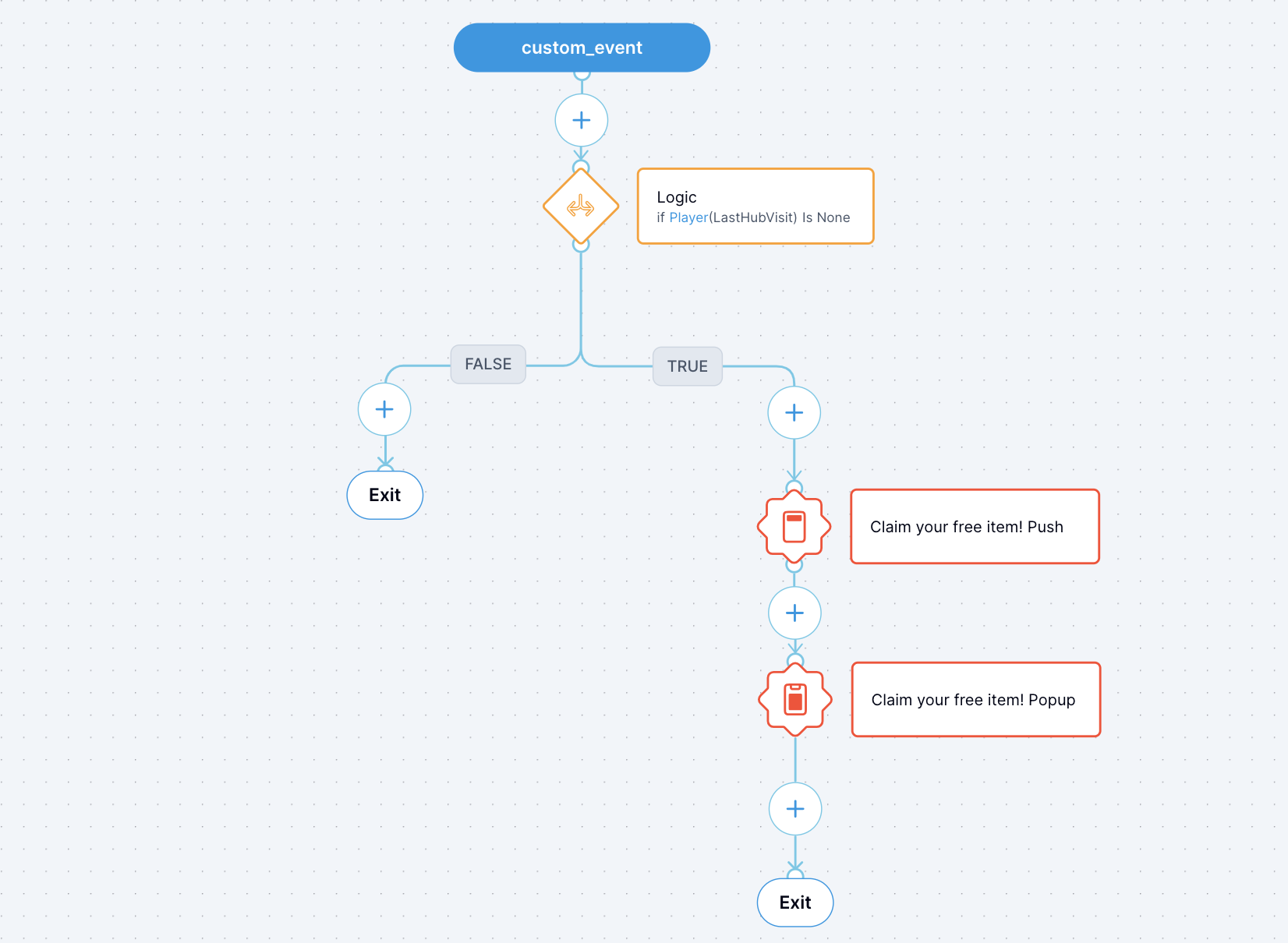
Example. Campaign for mobile notifications
The campaign scenario:
- The campaign checks if the player has visited the game hub for the first time.
- If so, the campaign sends the mobile push notification to inform about the redeem code for a free item.
- After the player has received the mobile push notification, they tap the notification.
- The Aghanim redirects the player to the in-game popup notification that mirrors the mobile push notification. The popup message has a deep link to the redeem code page of the game hub.
- The player claims the free item.
Need help?
Contact our integration team at integration@aghanim.com