Android SDK reference
The Aghanim Android SDK that allows you to use the Checkout within your Android app.
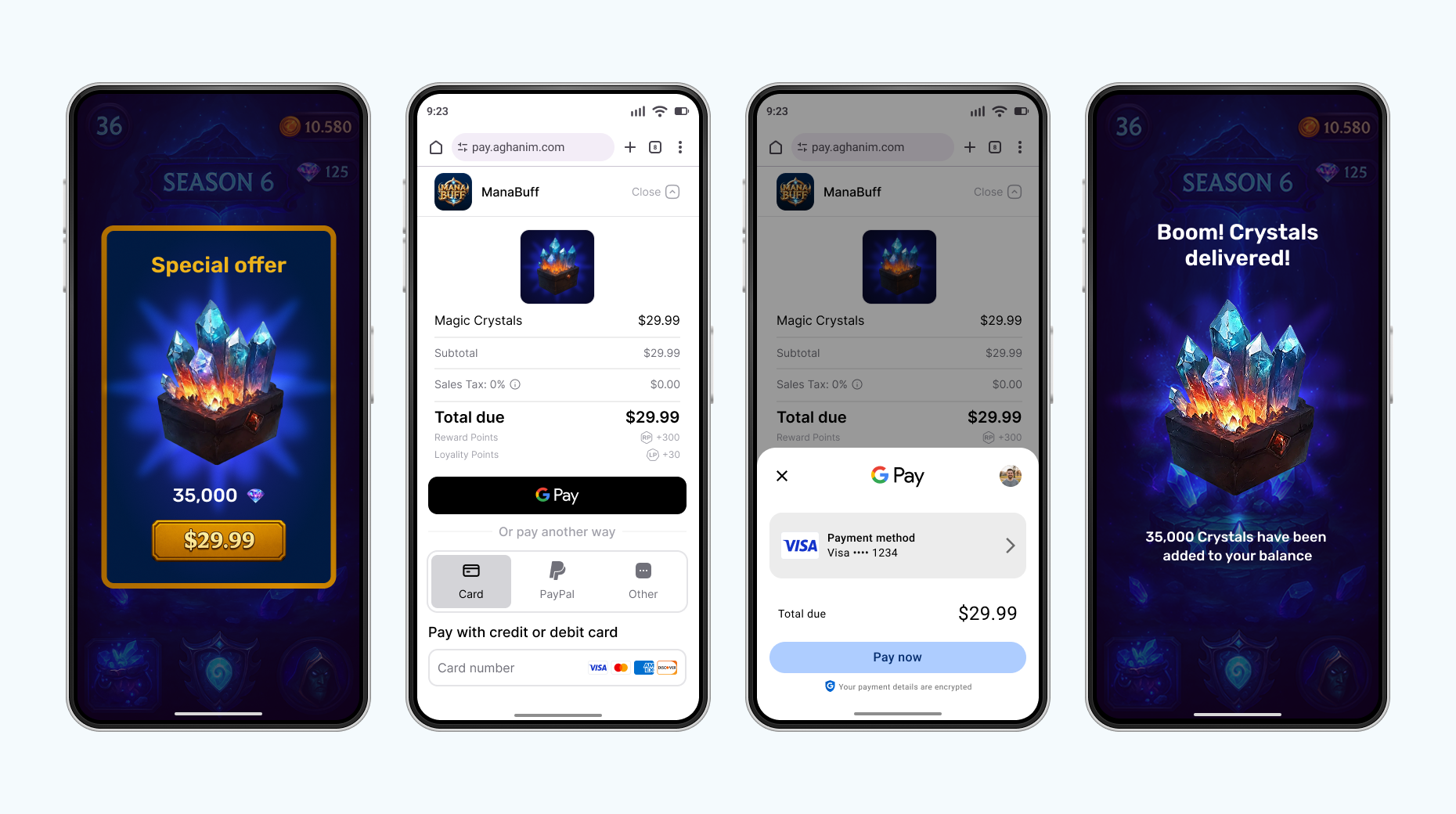
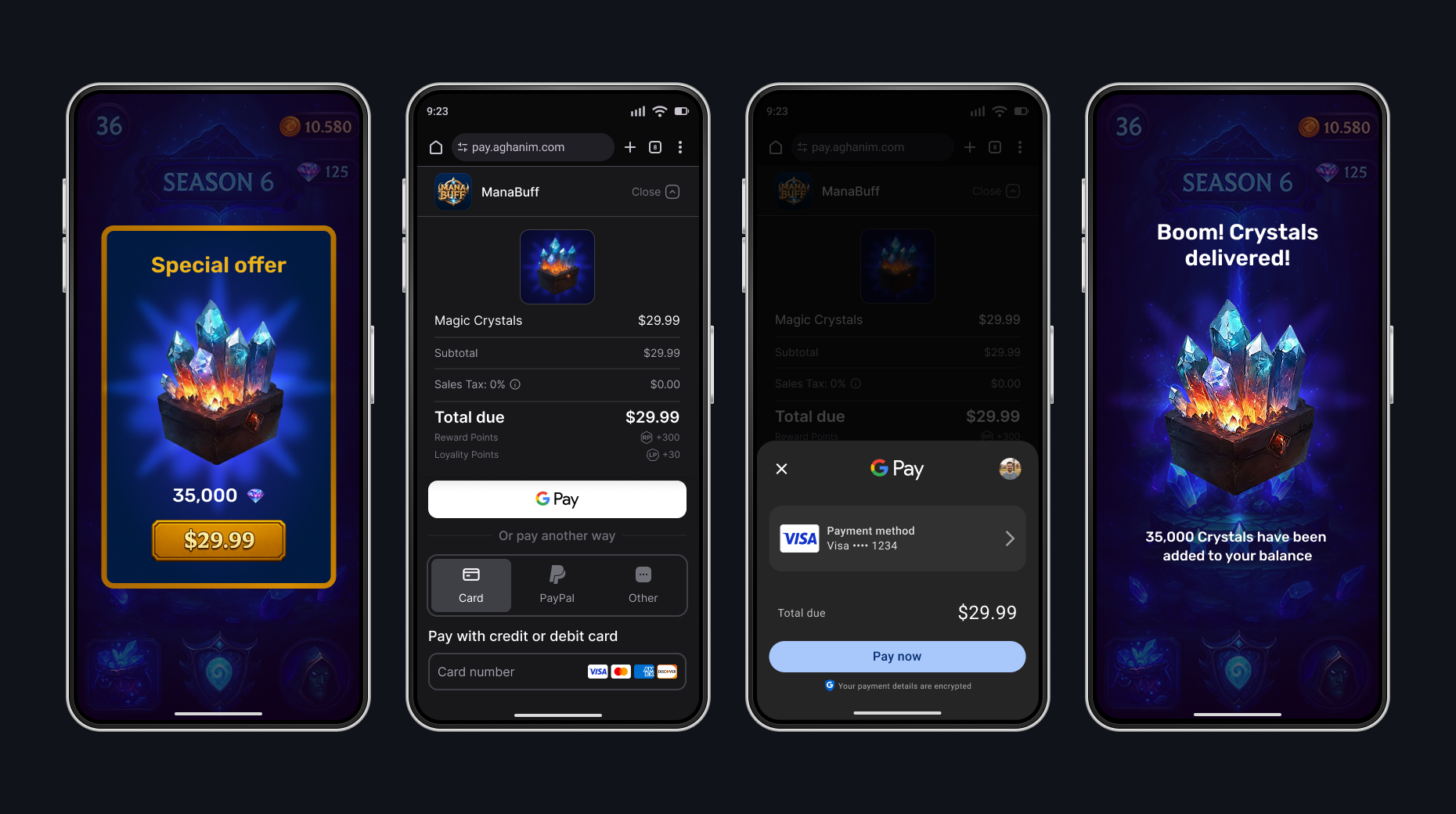
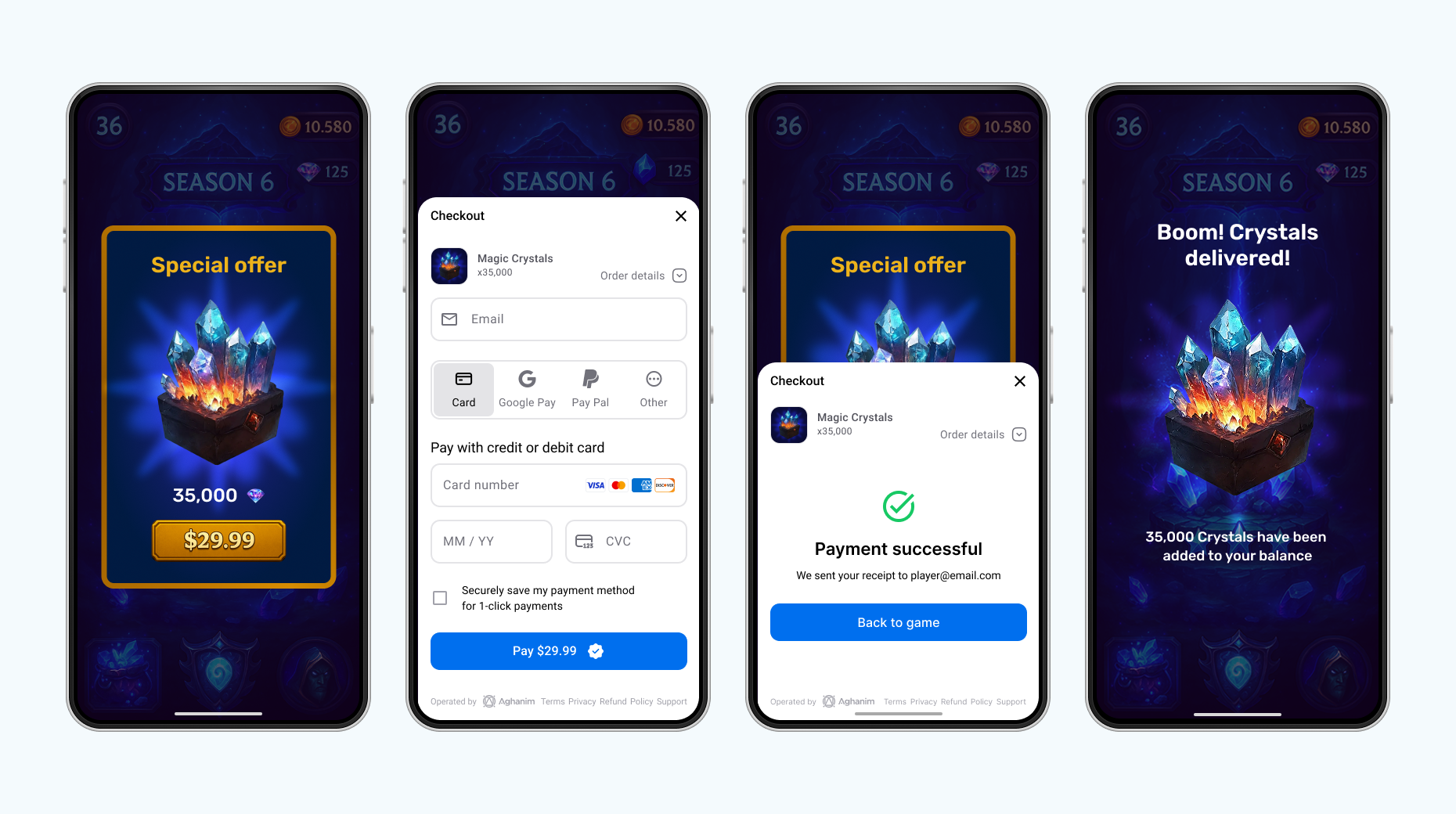
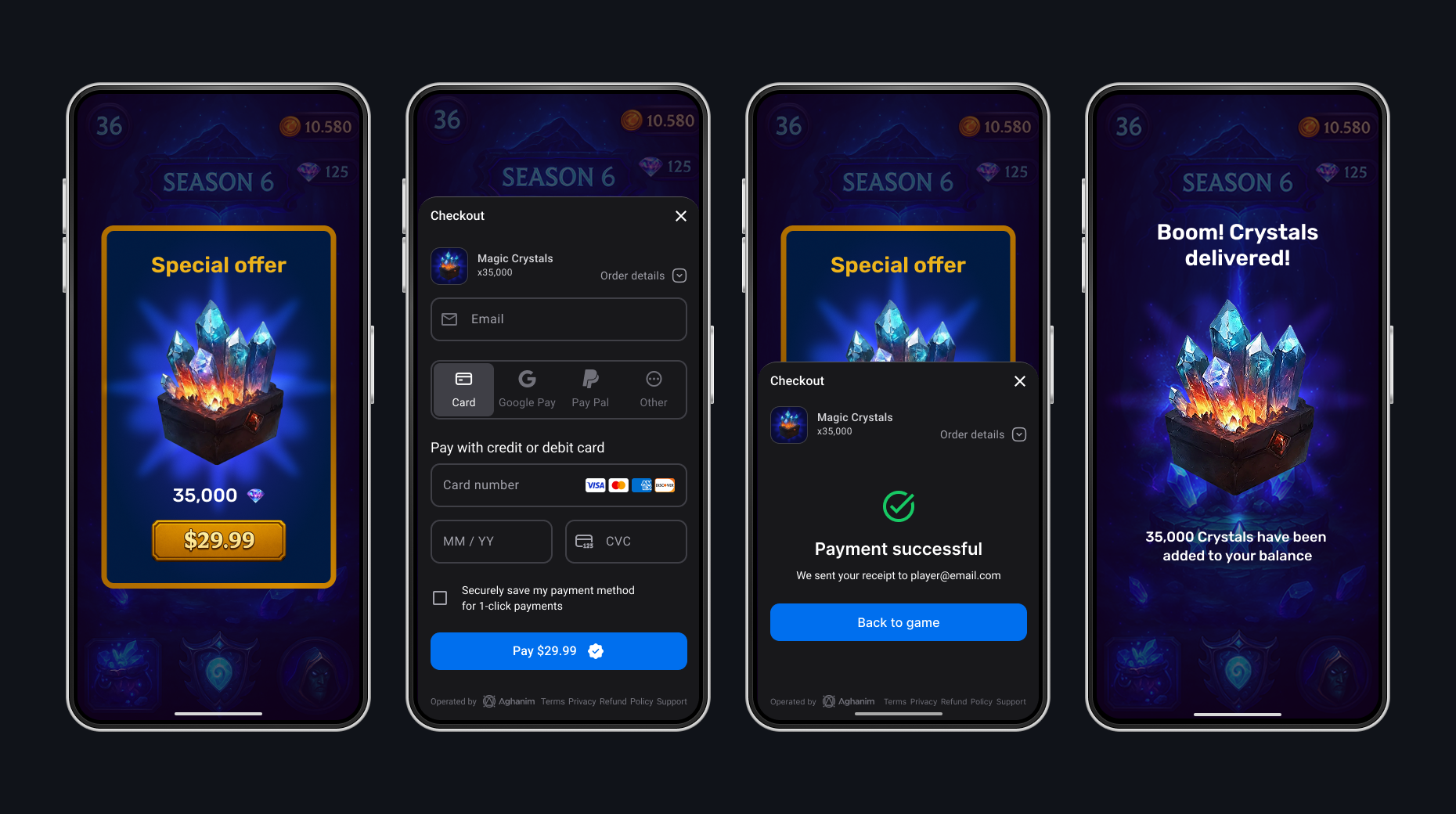
Native UI
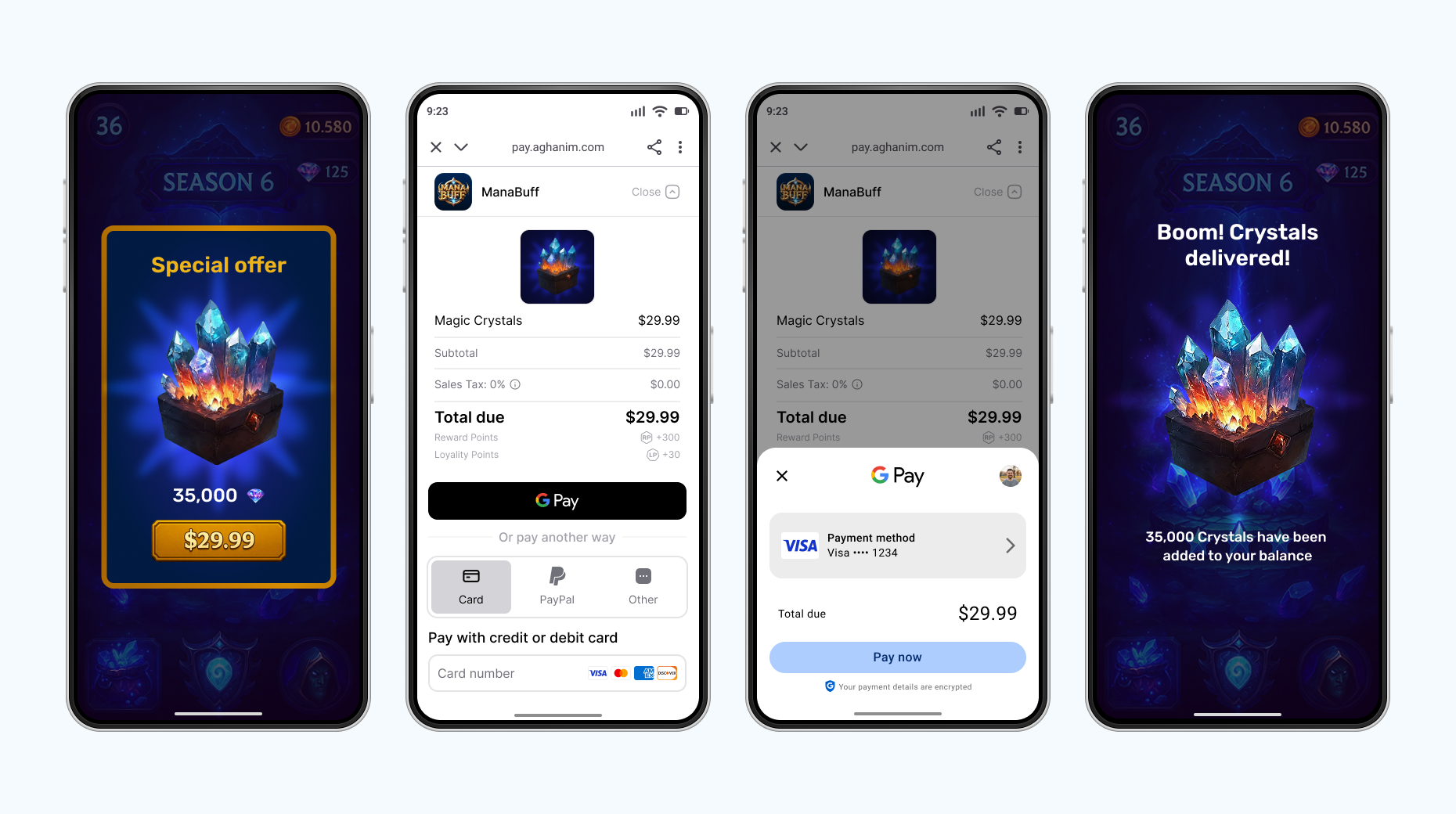
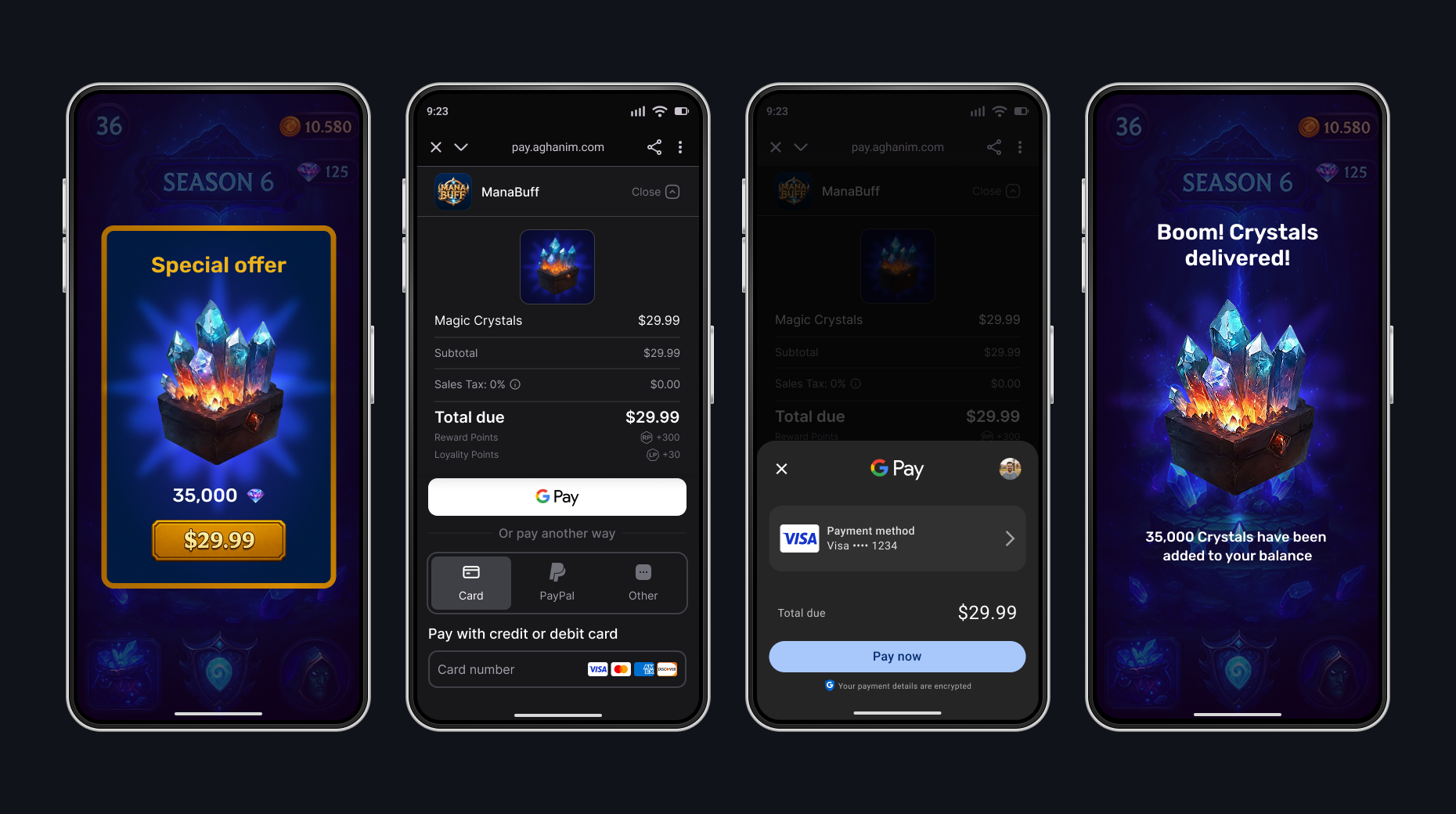
Integration
To integrate the SDK, see its prerequisites and the detailed instruction on Integrate → Android.
Method reference
Get Order
To read a single Order by its ID, use the orders.get or orders.getAsync method. Returns an Order with the Order's items, amount, and current status. A blank orderId fails with ApiError.InvalidArgument.
- Coroutines
- Async callbacks
- Kotlin
import com.aghanim.android.sdk.common.api.result.ApiResult
import android.util.Log

when (val result = aghanim.orders.get(orderId)) {
    is ApiResult.Success -> {
        val order = result.value
        Log.d("Orders", "Order ${order.id} is ${order.status}")
        order.items.forEach { item ->
            Log.d("Orders", "${item.quantity} x ${item.name}")
        }
    }

    is ApiResult.Failure -> {
        // Log debug information for troubleshooting
        Log.e("Orders", "Failed to get order: ${result.error}")
        // TODO: Handle error
    }
}
| Parameter | Type | Required | Description |
|---|---|---|---|
orderId | String | Yes | Unique ID for the Order. |
- Kotlin
import com.aghanim.android.sdk.common.api.callbacks.OrderCallback
import com.aghanim.android.sdk.common.api.models.order.Order
import com.aghanim.android.sdk.common.api.result.ApiError
import android.util.Log

aghanim.orders.getAsync(
    orderId = orderId,
    callback = object : OrderCallback {
        override fun onSuccess(order: Order) {
            Log.d("Orders", "Order ${order.id} is ${order.status}")
        }

        override fun onError(failure: ApiError) {
            // Log debug information for troubleshooting
            Log.e("Orders", "Failed to get order: ${failure.debugMessage}")
            // TODO: Handle error
        }
    }
)
| Parameter | Type | Required | Description |
|---|---|---|---|
orderId | String | Yes | Unique ID for the Order. |
callback | OrderCallback | Yes | Receives onSuccess(order: Order) or onError(failure: ApiError) on the main thread. |
Get unconsumed Orders
To know what Orders have been paid for but not granted yet, use the getUnconsumed or getUnconsumedAsync method. Requires the player ID to be set via Set player ID.
- Coroutines
- Async callbacks
- Kotlin
import com.aghanim.android.sdk.common.api.result.ApiResult
import android.util.Log

when (val unconsumedResult = aghanim.orders.getUnconsumed()) {
    is ApiResult.Success -> {
        // Player has paid but not granted items from orders
        val unconsumedOrderIds = unconsumedResult.value
        // TODO: Save order IDs for further consuming and granting
    }

    is ApiResult.Failure -> {
        // Log debug information for troubleshooting
        Log.e("Orders", "Failed to get unconsumed orders: ${unconsumedResult.error}")
        // TODO: Handle error
    }
}
- Kotlin
import com.aghanim.android.sdk.common.api.callbacks.OrderListCallback
import com.aghanim.android.sdk.common.api.result.ApiError
import android.util.Log

aghanim.orders.getUnconsumedAsync(
    callback = object : OrderListCallback {
        override fun onSuccess(orderIds: List<String>) {
            // Player has paid but not granted items from orders
            val unconsumedOrderIds = orderIds
            // TODO: Save order IDs for further consuming and granting
        }

        override fun onError(failure: ApiError) {
            // Log debug information for troubleshooting
            Log.e("Orders", "Failed to get unconsumed orders: ${failure.debugMessage}")
            // TODO: Handle error
        }
    }
)
| Parameter | Type | Required | Description |
|---|---|---|---|
callback | OrderListCallback | Yes | Receives onSuccess(orderIds: List<String>) or onError(failure: ApiError) on the main thread. |
Consume paid Order
To mark a paid Order as handled, use the consume or consumeAsync method. Consuming the same Order twice fails, so grant its items once the consume succeeds. Requires the player ID to be set via Set player ID.
- Coroutines
- Async callbacks
- Kotlin
import com.aghanim.android.sdk.common.api.result.ApiResult
import android.util.Log

when (val consumeResult = aghanim.orders.consume(orderId)) {
    is ApiResult.Success -> {
        // Paid orders are marked as consumed
        Log.d("Orders", "Order $orderId is successfully consumed")
        // TODO: Grant items in order to player
    }

    is ApiResult.Failure -> {
        // Log debug information for troubleshooting
        Log.e("Orders", "Failed to consume order: ${consumeResult.error}")
        // TODO: Handle error
    }
}
- Kotlin
import com.aghanim.android.sdk.common.api.callbacks.ConsumeCallback
import com.aghanim.android.sdk.common.api.result.ApiError
import android.util.Log

aghanim.orders.consumeAsync(
    orderId = orderId,
    callback = object : ConsumeCallback {
        override fun onSuccess() {
            // Paid orders are marked as consumed
            Log.d("Orders", "Order $orderId is successfully consumed")
            // TODO: Grant items in order to player
        }

        override fun onError(failure: ApiError) {
            // Log debug information for troubleshooting
            Log.e("Orders", "Failed to consume order: ${failure.debugMessage}")
            // TODO: Handle error
        }
    }
)
| Parameter | Type | Required | Description |
|---|---|---|---|
orderId | String | Yes | Unique ID for the Order. |
callback | ConsumeCallback | Yes | Receives onSuccess() or onError(failure: ApiError) on the main thread. |
Set player ID
To set the player ID once for the current SDK instance, use the setPlayerId method. The SDK will use the ID in all following method calls. The method is suspend and returns ApiResult<Unit>; a blank player ID fails with ApiError.InvalidArgument.
- Kotlin
import com.aghanim.android.sdk.common.api.result.ApiResult
import android.util.Log

when (val result = aghanim.setPlayerId(playerId)) {
    is ApiResult.Success -> {
        // The SDK attaches the player ID to all following method calls
    }

    is ApiResult.Failure -> {
        // Log debug information for troubleshooting
        Log.e("Aghanim", "Failed to set player ID: ${result.error}")
        // TODO: Handle error
    }
}
| Parameter | Type | Required | Description |
|---|---|---|---|
playerId | String | Yes | Unique ID for the player. |
Clear player ID
To remove the player ID from the SDK instance, for example when the player signs out, use the clearPlayerId method. It is suspend and returns ApiResult<Unit>.
- Kotlin
import com.aghanim.android.sdk.common.api.result.ApiResult
import android.util.Log

when (val result = aghanim.clearPlayerId()) {
    is ApiResult.Success -> {
        // The SDK stops attaching the previous player ID to API requests
    }

    is ApiResult.Failure -> {
        // Log debug information for troubleshooting
        Log.e("Aghanim", "Failed to clear player ID: ${result.error}")
        // TODO: Handle error
    }
}
Get items
To retrieve items with localized prices, use the items.get or items.getAsync method. The method returns items created in SKU Management → Items with prices localized based on the player's region.
- Coroutines
- Async callbacks
- Kotlin
import com.aghanim.android.sdk.common.api.result.ApiResult
import android.util.Log

when (val result = aghanim.items.get(
    skus = listOf("your-item-sku"),
)) {
    is ApiResult.Success -> {
        val items = result.value
        items.forEach { item ->
            // Use item.name, item.price.display, item.imageUrl to populate your store
            Log.d("Items", "${item.name}: ${item.price.display}")
        }
    }

    is ApiResult.Failure -> {
        // Log debug information for troubleshooting
        Log.e("Items", "Failed to get items: ${result.error}")
        // TODO: Handle error
    }
}
- Kotlin
import com.aghanim.android.sdk.common.api.callbacks.ItemsCallback
import com.aghanim.android.sdk.common.api.models.item.Item
import com.aghanim.android.sdk.common.api.result.ApiError
import android.util.Log

aghanim.items.getAsync(
    skus = listOf("your-item-sku"),
    locale = null,
    callback = object : ItemsCallback {
        override fun onSuccess(items: List<Item>) {
            items.forEach { item ->
                // Use item.name, item.price.display, item.imageUrl to populate your store
                Log.d("Items", "${item.name}: ${item.price.display}")
            }
        }

        override fun onError(failure: ApiError) {
            // Log debug information for troubleshooting
            Log.e("Items", "Failed to get items: ${failure.debugMessage}")
            // TODO: Handle error
        }
    }
)
| Parameter | Type | Required | Description |
|---|---|---|---|
skus | List<String> | Yes | List of item SKUs to retrieve. |
locale | Locale | No | Locale for localization. Find the full list of supported locales in Checkout → Locales. |
callback | ItemsCallback | Yes | Receives onSuccess(items: List<Item>) or onError(failure: ApiError) on the main thread. |
| Parameter | Type | Required | Description |
|---|---|---|---|
skus | List<String> | Yes | List of item SKUs to retrieve. |
locale | Locale | No | Locale for localization. Find the full list of supported locales in Checkout → Locales. |
Each returned Item carries:
| Property | Type | Description |
|---|---|---|
sku | String | SKU identifier of the item. |
name | String | Name of the item. |
description | String? | Description of the item. |
type | ItemType | Type of the item. |
price | ItemPrice | Localized price of the item. |
imageUrl | String? | Image URL of the item. |
quantity | Int | Base quantity of the item. |
isStackable | Boolean | Whether the item is stackable. |
isCurrency | Boolean | Whether the item is a virtual currency. |
ItemPrice carries:
| Property | Type | Description |
|---|---|---|
amount | BigInteger | Price in the smallest currency unit, for example cents. |
amountDecimal | BigDecimal | Price in major currency units. |
currency | String | ISO 4217 currency code. |
display | String | Formatted price string, for example $9.99. |
ItemType is a sealed class with these subtypes:
| Type | Meaning |
|---|---|
Item | Regular item. |
Currency | In-game currency. |
Bundle | Bundle of items. |
Lootbox | Lootbox with random contents. |
Subscription | Subscription item. |
VirtualCurrency | Virtual currency item. |
Unknown(raw) | A type this SDK version does not recognize. |
A type added on the server after your SDK version shipped arrives as Unknown, with the server's original string in raw, so keep an else branch when matching.
Create Checkout item
To create an item representation, use the CheckoutItem method. The item must already exist in SKU Management → Items, either created there or through the S2S API. Checkout rejects a SKU that is not in the game's catalog, and takes every price from the catalog; the client cannot set or override a price.
- Kotlin
import com.aghanim.android.sdk.checkout.core.api.models.CheckoutItem

val checkoutItem = CheckoutItem(
    sku = "CRS-82500"
)
| Parameter | Type | Required | Description |
|---|---|---|---|
sku | String | Yes | Item SKU from Dashboard. |
name | String | No | Item name from Dashboard. |
description | String | No | Item description from Dashboard. |
imageUrl | String | No | Item image URL from Dashboard. |
Create redirect behavior
To choose the behavior of redirecting the player after they have completed the payment successfully, use the RedirectSettings method.
- Immediate
- Delayed
- No redirect
When the player has completed the payment, the SDK redirects them immediately to the deep link from backToGameUrl.
- Kotlin
import com.aghanim.android.sdk.checkout.core.api.models.RedirectSettings
import com.aghanim.android.sdk.checkout.core.api.models.RedirectMode

val redirectSettings = RedirectSettings(
    mode = RedirectMode.IMMEDIATE
)
When the player has completed the payment, the SDK shows the screen for the successful payment and then redirects the player to the deep link from backToGameUrl.
- Kotlin
import com.aghanim.android.sdk.checkout.core.api.models.RedirectSettings
import com.aghanim.android.sdk.checkout.core.api.models.RedirectMode

val redirectSettings = RedirectSettings(
    mode = RedirectMode.DELAYED,
    delaySeconds = 5
)
When the player has completed the payment, they stay on the screen for the successful payment. To exit it, they manually close it or navigate away. After, you should redirect them to the deep link from backToGameUrl by yourself.
- Kotlin
import com.aghanim.android.sdk.checkout.core.api.models.RedirectSettings
import com.aghanim.android.sdk.checkout.core.api.models.RedirectMode

val redirectSettings = RedirectSettings(
    mode = RedirectMode.NO_REDIRECT
)
| Parameter | Type | Required | Description |
|---|---|---|---|
mode | RedirectMode | Yes | Redirect mode. Possible values: IMMEDIATE, DELAYED, NO_REDIRECT. |
delaySeconds | int | Yes if Delayed | Delay in seconds. For Delayed mode, default is 5. |
Create UI settings
To set the appearance mode for the Checkout, use the UiSettings method.
- Auto
- Dark
- Light
The SDK automatically detects and applies the appropriate appearance mode based on the system setting.
- Kotlin
import com.aghanim.android.sdk.checkout.core.api.models.UiSettings
import com.aghanim.android.sdk.checkout.core.api.models.UiMode

val uiSettings = UiSettings(
    mode = UiMode.AUTO
)
The SDK forces dark mode appearance for the Checkout UI.
- Kotlin
import com.aghanim.android.sdk.checkout.core.api.models.UiSettings
import com.aghanim.android.sdk.checkout.core.api.models.UiMode

val uiSettings = UiSettings(
    mode = UiMode.DARK
)
The SDK forces light mode appearance for the Checkout UI.
- Kotlin
import com.aghanim.android.sdk.checkout.core.api.models.UiSettings
import com.aghanim.android.sdk.checkout.core.api.models.UiMode

val uiSettings = UiSettings(
    mode = UiMode.LIGHT
)
| Parameter | Type | Required | Description |
|---|---|---|---|
mode | UiMode | Yes | UI mode. Possible values: AUTO, DARK, LIGHT. |
Create Checkout params
To create Checkout params, a representation of what the player sees on the payment form, use the CheckoutParams method.
- Native UI
- Others
Creating Checkout params is simpler for the Native UI launch mode. Since the Checkout doesn’t use a browser to launch, no need to pass backToGameUrl.
- Kotlin
import com.aghanim.android.sdk.checkout.core.api.models.CheckoutParams

val checkoutParams = CheckoutParams(
    items = listOf(checkoutItem),
    locale = null
)
Creating Checkout params is slightly different for the In-app browser and Default browser launch modes. Since the Checkout launches in the browser, you should pass backToGameUrl.
- Kotlin
import com.aghanim.android.sdk.checkout.core.api.models.CheckoutParams

val checkoutParams = CheckoutParams(
    items = listOf(checkoutItem),
    backToGameUrl = "https://<YOUR_DOMAIN>/checkout-complete",
    locale = null
)
| Parameter | Type | Required | Description |
|---|---|---|---|
items | List<CheckoutItem> | Yes | List of items. |
metadata | Map<string, string> | No | Metadata structured as “key-value” pairs for tracking purposes. |
locale | string | No | Locale for localization. Find the full list of supported locales in Checkout → Locales. |
backToGameUrl | string | No | Deep link URL to return player to app. Is auto-generated if not provided. |
redirectSettings | RedirectSettings | No | Post-payment redirect behavior. |
uiSettings | UiSettings | No | Checkout appearance settings. |
Launch Checkout
To launch the Checkout process, use the startCheckout or startWebCheckout method. The method creates an order from the provided checkout params and opens the Checkout UI. Returns ApiResult<String> where the success value is the Order ID. Requires the player ID to be set via Set player ID, since the order is created against it.
- Native UI
- In-app browser
- Default browser
The launch mode uses the Native UI that has full control over the players’ experience.
- Kotlin
import com.aghanim.android.sdk.checkout.ui.api.startCheckout
import com.aghanim.android.sdk.common.api.result.ApiResult
import android.util.Log

when (val result = aghanim.startCheckout(
    context = context,
    checkoutParams = checkoutParams,
)) {
    is ApiResult.Success -> {
        // Order is created and checkout has launched successfully
        val orderId = result.value
        // TODO: Save order ID for further granting or tracking
    }

    is ApiResult.Failure -> {
        // Log debug information for troubleshooting
        Log.e("Checkout", "Failed to launch Checkout: ${result.error}")
        // TODO: Show user-friendly error message to player
    }
}
| Parameter | Type | Required | Description |
|---|---|---|---|
context | Activity | Yes | Current Activity. |
checkoutParams | CheckoutParams | Yes | Checkout configuration. |
The launch mode creates the seamless players’ experience via Custom Tabs.
- Kotlin
import com.aghanim.android.sdk.checkout.web.api.startWebCheckout
import com.aghanim.android.sdk.checkout.web.api.models.LaunchMode
import com.aghanim.android.sdk.common.api.result.ApiResult
import android.util.Log

when (val result = aghanim.startWebCheckout(
    context = context,
    checkoutParams = checkoutParams,
    launchMode = LaunchMode.InAppBrowser,
)) {
    is ApiResult.Success -> {
        // Order is created and checkout has launched successfully
        val orderId = result.value
        // TODO: Save order ID for further granting or tracking
    }

    is ApiResult.Failure -> {
        // Log debug information for troubleshooting
        Log.e("Checkout", "Failed to launch Checkout: ${result.error}")
        // TODO: Show user-friendly error message to player
    }
}
| Parameter | Type | Required | Description |
|---|---|---|---|
context | Activity | Yes | Current Activity. |
checkoutParams | CheckoutParams | Yes | Checkout configuration. |
launchMode | LaunchMode | Yes | Launch mode for Checkout. |
The launch mode works in the player default browser. Use the mode when you want to redirect the player outside your app.
- Kotlin
import com.aghanim.android.sdk.checkout.web.api.startWebCheckout
import com.aghanim.android.sdk.checkout.web.api.models.LaunchMode
import com.aghanim.android.sdk.common.api.result.ApiResult
import android.util.Log

when (val result = aghanim.startWebCheckout(
    context = context,
    checkoutParams = checkoutParams,
    launchMode = LaunchMode.DefaultBrowser,
)) {
    is ApiResult.Success -> {
        // Order is created and checkout has launched successfully
        val orderId = result.value
        // TODO: Save order ID for further granting or tracking
    }

    is ApiResult.Failure -> {
        // Log debug information for troubleshooting
        Log.e("Checkout", "Failed to launch Checkout: ${result.error}")
        // TODO: Show user-friendly error message to player
    }
}
| Parameter | Type | Required | Description |
|---|---|---|---|
context | Activity | Yes | Current Activity. |
checkoutParams | CheckoutParams | Yes | Checkout configuration. |
launchMode | LaunchMode | Yes | Launch mode for Checkout. |
Present Checkout
To present the Checkout UI for an existing order, use the presentCheckout or presentWebCheckout method. Use this when you have an order ID from server-to-server order creation or when resuming a previously abandoned checkout.
- Native UI
- In-app browser
- Default browser
The launch mode uses the Native UI that has full control over the players' experience.
- Kotlin
import com.aghanim.android.sdk.checkout.ui.api.presentCheckout
import com.aghanim.android.sdk.common.api.result.ApiResult
import android.util.Log

when (val result = aghanim.presentCheckout(
    context = context,
    orderId = orderId,
)) {
    is ApiResult.Success -> {
        // Checkout has launched successfully for the existing order
        val presentedOrderId = result.value
    }

    is ApiResult.Failure -> {
        // Log debug information for troubleshooting
        Log.e("Checkout", "Failed to present Checkout: ${result.error}")
        // TODO: Show user-friendly error message to player
    }
}
| Parameter | Type | Required | Description |
|---|---|---|---|
context | Activity | Yes | Current Activity. |
orderId | String | Yes | ID of the existing order to open. |
The launch mode creates the seamless players' experience via Custom Tabs.
- Kotlin
import com.aghanim.android.sdk.checkout.web.api.presentWebCheckout
import com.aghanim.android.sdk.checkout.web.api.models.LaunchMode
import com.aghanim.android.sdk.common.api.result.ApiResult
import android.util.Log

when (val result = aghanim.presentWebCheckout(
    context = context,
    orderId = orderId,
    launchMode = LaunchMode.InAppBrowser,
)) {
    is ApiResult.Success -> {
        // Checkout has launched successfully for the existing order
        val presentedOrderId = result.value
    }

    is ApiResult.Failure -> {
        // Log debug information for troubleshooting
        Log.e("Checkout", "Failed to present Checkout: ${result.error}")
        // TODO: Show user-friendly error message to player
    }
}
| Parameter | Type | Required | Description |
|---|---|---|---|
context | Activity | Yes | Current Activity. |
orderId | String | Yes | ID of the existing order to open. |
launchMode | LaunchMode | Yes | Launch mode for Checkout. |
The launch mode works in the player default browser. Use the mode when you want to redirect the player outside your app.
- Kotlin
import com.aghanim.android.sdk.checkout.web.api.presentWebCheckout
import com.aghanim.android.sdk.checkout.web.api.models.LaunchMode
import com.aghanim.android.sdk.common.api.result.ApiResult
import android.util.Log

when (val result = aghanim.presentWebCheckout(
    context = context,
    orderId = orderId,
    launchMode = LaunchMode.DefaultBrowser,
)) {
    is ApiResult.Success -> {
        // Checkout has launched successfully for the existing order
        val presentedOrderId = result.value
    }

    is ApiResult.Failure -> {
        // Log debug information for troubleshooting
        Log.e("Checkout", "Failed to present Checkout: ${result.error}")
        // TODO: Show user-friendly error message to player
    }
}
| Parameter | Type | Required | Description |
|---|---|---|---|
context | Activity | Yes | Current Activity. |
orderId | String | Yes | ID of the existing order to open. |
launchMode | LaunchMode | Yes | Launch mode for Checkout. |
Order reference
orders.get returns an Order from com.aghanim.android.sdk.common.api.models.order. Its properties are all val. Every field below is non-null unless the type is marked with ?.
| Property | Type | Description |
|---|---|---|
id | String | Unique ID of the Order. |
userId | String | Identifier of the user who created the Order. |
playerId | String | ID of the player who placed the Order, as you set it via setPlayerId. |
status | OrderStatus | Current status of the Order. See Order status. |
items | List<OrderItem> | Items included in the Order. See Order item. |
amount | BigInteger | Total amount in the smallest currency unit, for example cents for USD. |
priceMinorUnit | Int | Number of decimal places for currency, for example 2 for USD. |
currency | String | ISO 4217 currency code of the Order. |
country | String | Country code for the Order, for example US. |
checkoutUrl | String | URL of the payment form for this Order. |
email | String? | Email address associated with the Order. |
ipAddress | String? | IP address the Order was created from. |
userAgent | String? | User agent the Order was created from. |
locale | Locale? | Locale of the Order. Find the full list in Checkout → Locales. |
platform | Platform? | Platform the Order was created on. See Platform. |
meta | Map<String, String>? | Developer-defined metadata attached to the Order, for example via CheckoutParams.metadata. |
couponsEnabled | Boolean? | Whether coupons are enabled for this Order. |
countryLocked | Boolean? | Whether the country selection is locked for this Order. |
uiSettings | UiSettings? | Appearance applied to the Checkout. See UI settings. |
redirectSettings | RedirectSettings? | Post-payment redirect applied to the Checkout. See Redirect settings. |
eligibleForRewardPoints | BigInteger? | Reward points this Order is eligible for. |
eligibleForLoyaltyPoints | BigInteger? | Loyalty points this Order is eligible for. |
rewards | OrderRewards? | Virtual currency rewards attached to the Order. See Order rewards. |
backToGameUrl | String? | URL that returns the player to the game after payment. |
backToGameSettings | BackToGameSettings? | Per-platform back-to-game deep links configured for the game. |
To render amount as a human-readable price, divide it by 10 to the power of priceMinorUnit. An amount of 1999 with a priceMinorUnit of 2 is 19.99.
Order status
OrderStatus is a sealed class with these subtypes:
| Status | Meaning |
|---|---|
Created | Order created, awaiting payment. |
Captured | Payment captured and processing. |
Paid | Payment completed; goods and rewards granted. |
Canceled | Order canceled. |
Refunded | Order refunded. |
RefundRequested | A refund has been requested. |
Reattempted | Payment was reattempted. |
Disputed | Order is under dispute. |
Unknown(raw) | A status this SDK version does not recognize. |
A status added on the server after your SDK version shipped arrives as Unknown, with the server's original string in raw, so keep an else branch when matching.
Order item
| Property | Type | Description |
|---|---|---|
sku | String | SKU identifier of the item. |
name | String | Name of the item. |
description | String? | Description of the item. |
currency | String | ISO 4217 currency code for the item price. |
quantity | Int | Quantity of the item in the Order. |
imageUrl | String? | Image URL of the item. |
Order rewards
OrderRewards carries:
| Property | Type | Description |
|---|---|---|
available | List<OrderReward> | Available rewards for this Order. |
Each OrderReward carries:
| Property | Type | Description |
|---|---|---|
name | String | Display name of the reward, for example Gems. |
amount | BigInteger | Reward amount. |
iconUrl | String? | Icon URL of the reward. |
Back-to-game settings
BackToGameSettings holds the per-platform deep links configured for the game:
| Property | Type | Description |
|---|---|---|
androidAppLink | String? | Android App Link, with the {order_id} placeholder already substituted. |
Platform
Platform is a sealed class with these subtypes:
| Platform | Meaning |
|---|---|
Any | Any platform. |
Ios | iOS. |
Android | Android. |
Other | Other platform. |
Unknown(raw) | A platform this SDK version does not recognize. |
UI settings
Order.uiSettings reports the appearance the server applied:
| Property | Type | Description |
|---|---|---|
mode | UiMode? | Appearance applied to the Checkout. |
UiMode is a sealed class with these subtypes:
| Mode | Meaning |
|---|---|
Auto | Detect and apply the appropriate mode. |
Dark | Force dark mode appearance. |
Light | Force light mode appearance. |
Unknown(raw) | A mode this SDK version does not recognize. |
Redirect settings
Order.redirectSettings reports the post-payment redirect the server applied:
| Property | Type | Description |
|---|---|---|
mode | RedirectMode? | Redirect applied after a successful payment. |
delaySeconds | Int? | Delay before redirecting, used with Delayed. |
RedirectMode is a sealed class with these subtypes:
| Mode | Meaning |
|---|---|
NoRedirect | No automatic redirect. |
Immediate | Redirect immediately. |
Delayed | Redirect after a visible countdown. |
Unknown(raw) | A mode this SDK version does not recognize. |
Error reference
Every SDK method returns ApiResult. On failure, ApiResult.Failure.error is an ApiError. Match on the type to map an error to user-visible behavior; every type carries a debugMessage for logs.
| Type | Payload | When fired |
|---|---|---|
Network | debugMessage: String | No connectivity, DNS failure, and similar transport errors. |
Timeout | debugMessage: String | HTTP 408 or 504, or a client-side request timeout. |
NotAuthenticated | debugMessage: String | HTTP 401. |
NotAuthorized | debugMessage: String | HTTP 403. |
BadRequest | debugMessage: String | HTTP 400. |
NotFound | debugMessage: String | HTTP 404. |
Conflict | debugMessage: String | HTTP 409. |
Validation | debugMessage: String, errors: List<ValidationErrorDetail> | HTTP 422. |
RateLimitExceeded | debugMessage: String | HTTP 429. |
ServerUnavailable | debugMessage: String | HTTP 503. |
Server | code: Int, debugMessage: String | Any other HTTP 5xx. |
PlayerIdNotSet | — | An API that needs a player was called before setPlayerId. |
InvalidArgument | argumentName: ArgumentName, reason: Reason, debugMessage: String | An argument you passed failed client-side validation. |
Disposed | — | The operation was issued against an instance whose dispose was called. |
Unknown | debugMessage: String | Catch-all for unrecognized errors. |
Validation error detail
Validation.errors is a list of ValidationErrorDetail, one per field-level error:
| Property | Type | Description |
|---|---|---|
location | List<String> | Path to the invalid field, for example ["body", "email"]. |
message | String | Human-readable error message. |
type | String | Error type identifier, for example value_error.email. |
Invalid argument
InvalidArgument is raised by the SDK before any request goes out. It is distinct from BadRequest, which is an HTTP 400 from the server.
argumentName identifies the offending argument:
| Value | Argument |
|---|---|
ORDER_ID | The orderId of order and present-checkout methods. |
PLAYER_ID | The playerId of setPlayerId. |
SKU | The sku of a single checkout item. |
SKUS | The skus of catalog lookups. |
ITEMS | The items of a checkout. |
reason describes how it failed validation:
| Value | Meaning |
|---|---|
BLANK | A required identifier was empty or whitespace. |
EMPTY | A required collection had no entries. |
Need help?
Contact our integration team at integration@aghanim.com