Aghanim-Slack Integration
This guide explains how to integrate Aghanim with Slack to receive real-time order updates directly in your Slack workspace. By using a webhook URL, Aghanim can push notifications about specific order events.
Requirements
- A Slack workspace.
- Permission to create incoming webhooks.
- A Slack channel where notifications will be delivered.
Step 1: Create a Slack Webhook
- Go to Slack API: Incoming Webhooks.
- Click Create an App → select From scratch.
- Provide a name and select your workspace.
- Under Features, click Incoming Webhooks, then enable the feature.
- Click Add New Webhook to Workspace and select a target channel.
- Copy the generated Webhook URL.
This URL will be used by Aghanim to send messages to your Slack channel.
Step 2: Configure the Integration in Aghanim
- Go to the Aghanim Dashboard → Aghanim Connect → Slack.
- Paste the Webhook URL into the designated input field.
- Optionally, enable the specific types of Order Updates you want to receive in Slack.
- Click the Install button to activate the integration.
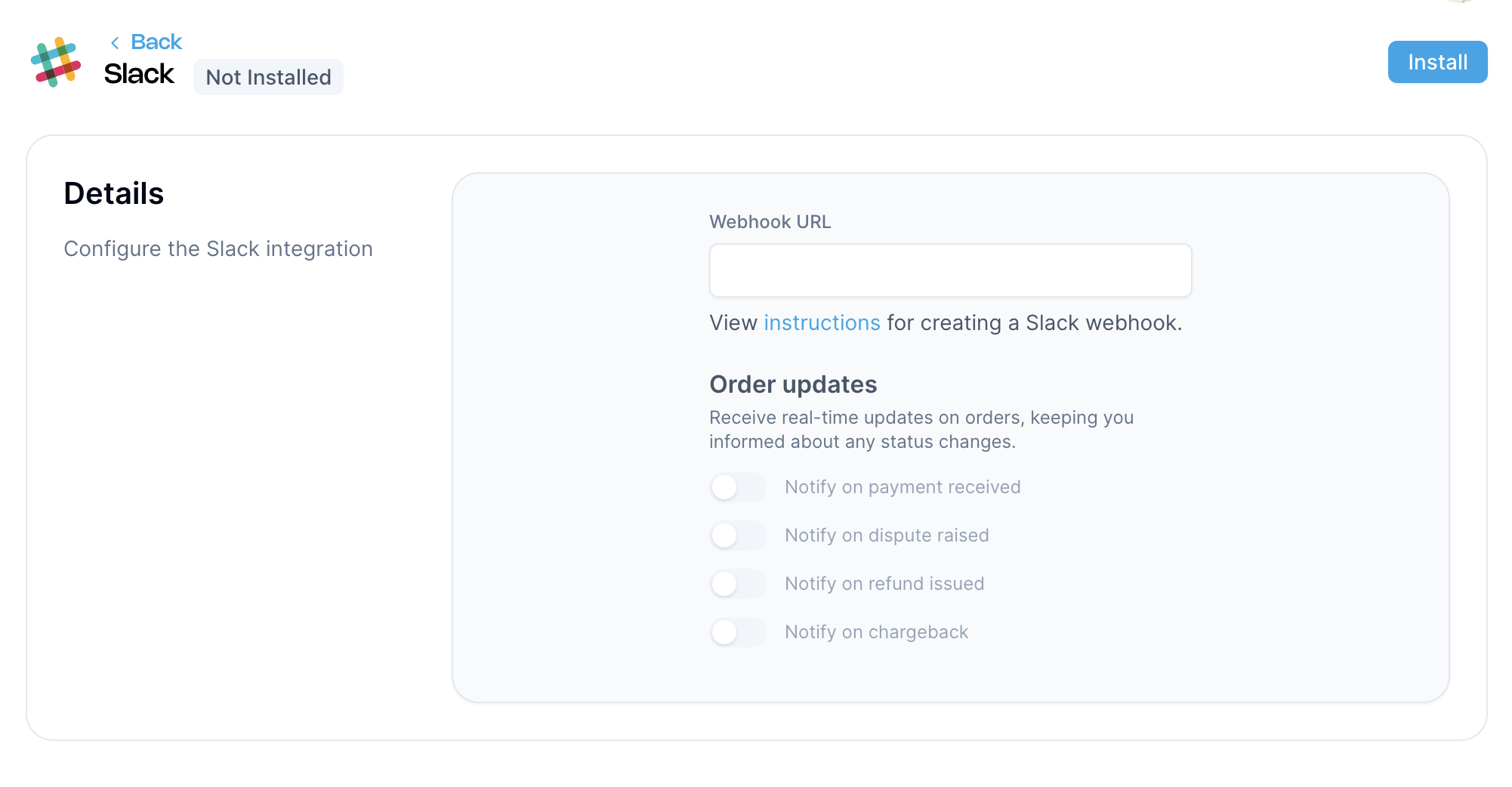

Once installed, Aghanim will send real-time messages to your Slack channel whenever the selected order events occur.
Need help?
Contact our integration team at integration@aghanim.com