Aghanim-Twitter News Integration
This guide explains how to integrate Aghanim with Twitter (X) to automatically import tweets as news updates in your game hub. By connecting a Twitter account via the Twitter API, you can track and republish content in near real time.
Requirements
- A verified Twitter Developer Account.
- A Twitter project and application with elevated API access.
- API credentials including Bearer Token, Consumer Key & Secret, and Access Token & Secret.
- The Twitter username from which tweets will be pulled.
Step 1: Obtain Twitter API Credentials
-
Go to the Twitter Developer Portal.
-
Create a new Project and App if you haven’t already.
-
Under the Keys and Tokens section, collect the following:
- Bearer Token
- API Key (Consumer Key)
- API Secret Key (Consumer Secret)
- Access Token
- Access Token Secret
Ensure that the App has Read access enabled.
-
Take note of the Twitter Username of the account whose tweets will be monitored.
Step 2: Configure the Integration in Aghanim
-
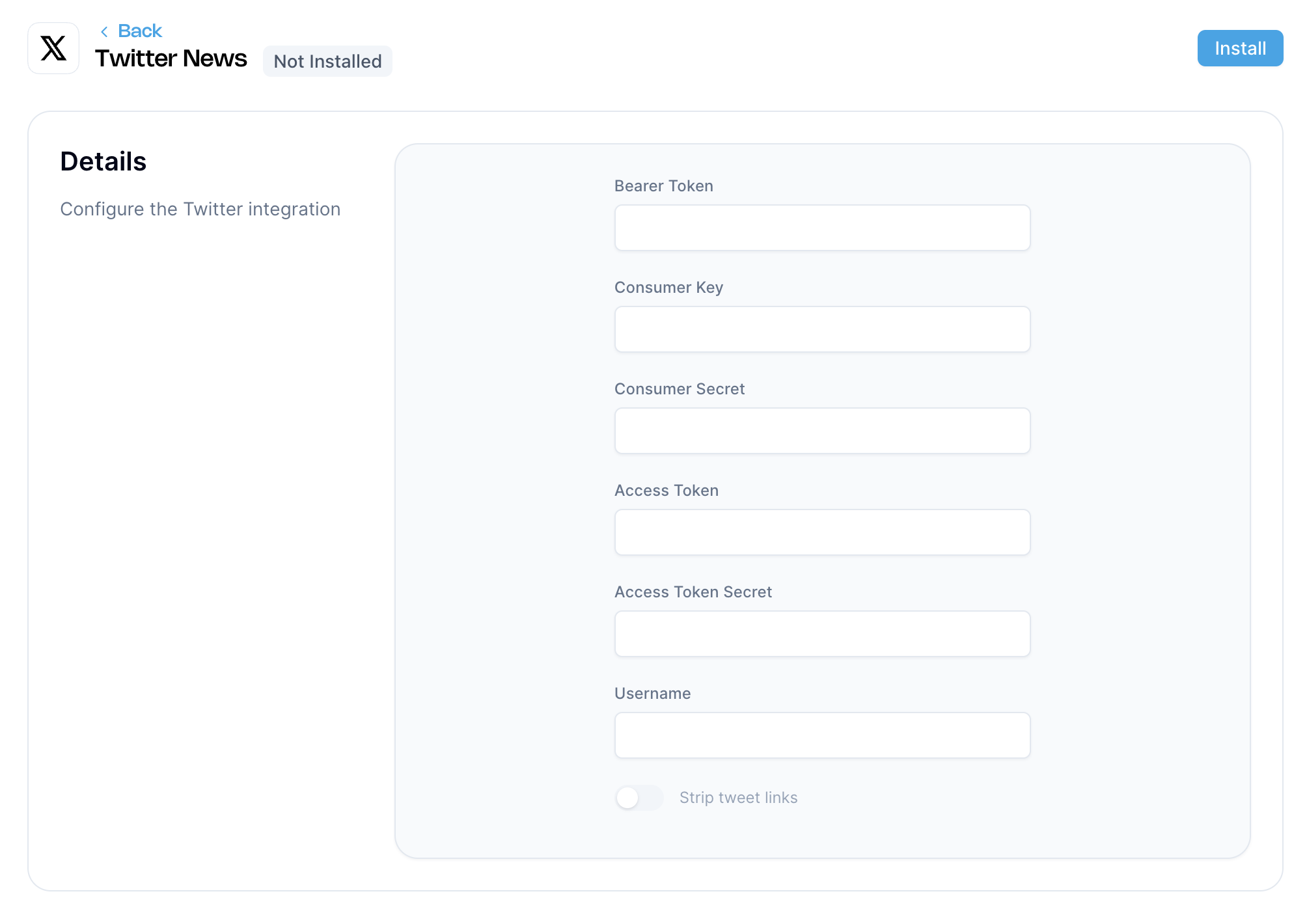
Go to the Aghanim Dashboard → Aghanim Connect → Twitter News.
-
Fill in the following fields with the corresponding Twitter API credentials:
- Bearer Token
- Consumer Key
- Consumer Secret
- Access Token
- Access Token Secret
- Username (without the
@symbol)
-
Optionally, enable Strip tweet links if you want URLs removed from the tweet content before displaying it as news.
-
Click the Install button to activate the integration.

Once installed, Aghanim will monitor the specified Twitter account and convert new tweets into news entries within your game hub.
Need help?
Contact our integration team at integration@aghanim.com