Aghanim-PlayFab Integration
This guide explains how to integrate Aghanim with PlayFab to enable automatic player verification and inventory management through PlayFab's Server API.
Requirements
- A PlayFab account with a configured title.
- Access to your PlayFab title's Title ID and Secret Key.
- Items configured in your PlayFab catalog that match your Aghanim store items.
Step 1: Get Your PlayFab Credentials
- Log in to your PlayFab Game Manager.
- Select your title from the dashboard.
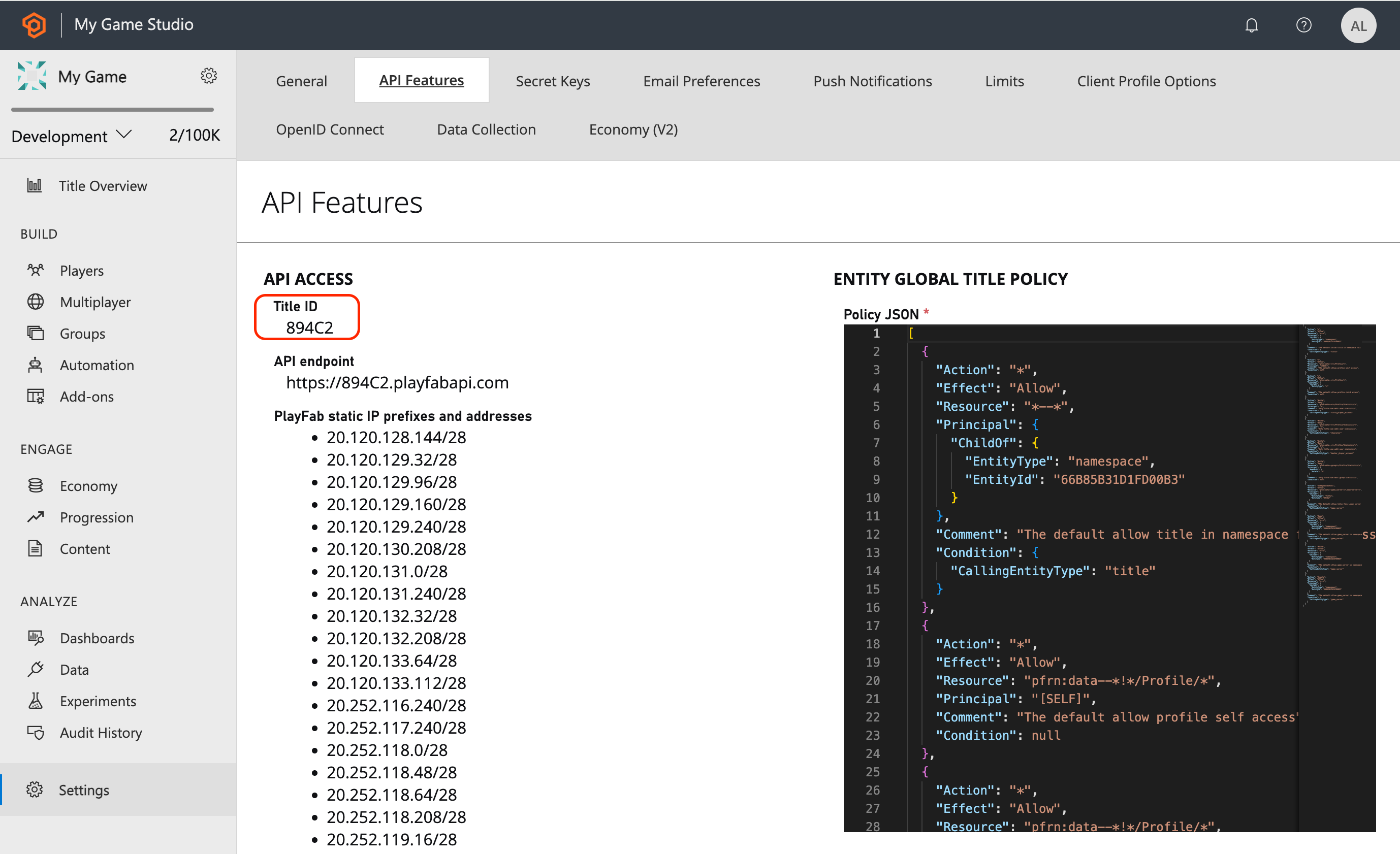
- Go to Settings → API Features and copy your Title ID.

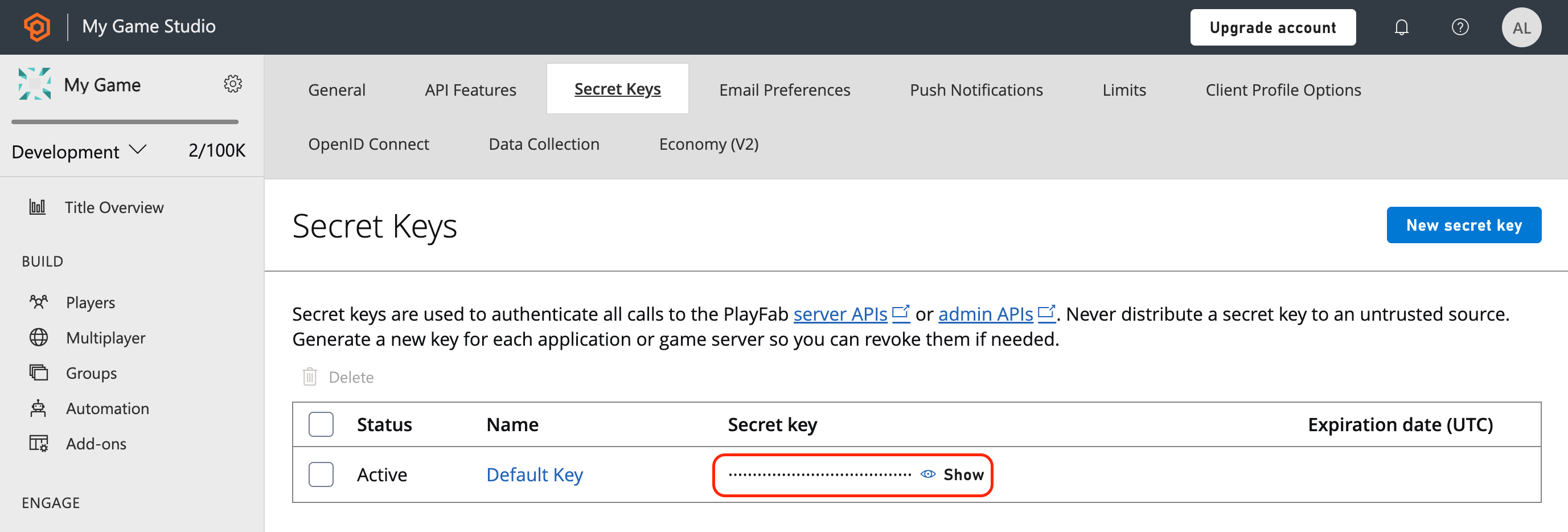
- Go to Settings → Secret Keys and copy your Secret Key (or create a new one if needed).

Step 2: Configure Items in PlayFab Catalog
Ensure your PlayFab catalog contains items that correspond to your Aghanim store items:
- Go to Economy → Catalog in your PlayFab dashboard.
- Create or verify items with Item IDs that match the SKU values in your Aghanim store.
- Set appropriate display names, descriptions, and other item properties as needed.
Step 3: Configure the Integration in Aghanim
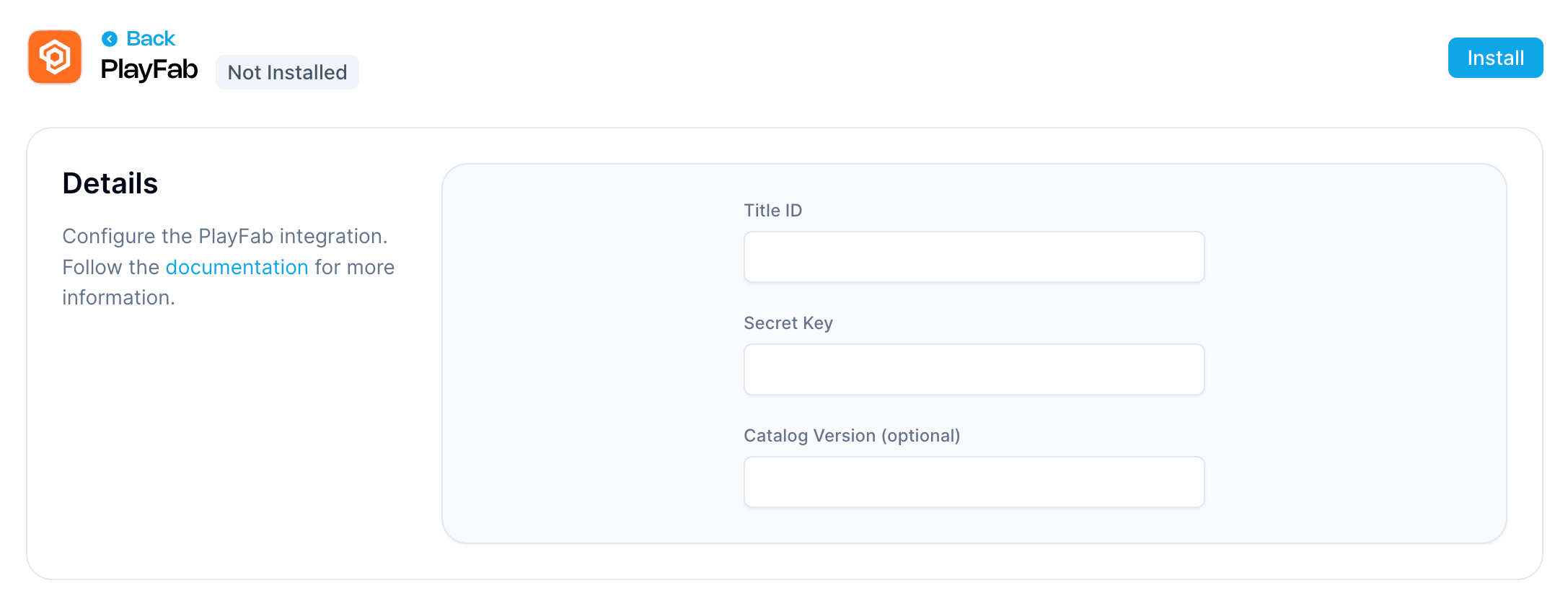
- Go to the Aghanim Dashboard → Aghanim Connect → PlayFab.
- Fill in the required fields:
- Title ID – your PlayFab title ID
- Secret Key – your PlayFab secret key
- Catalog Version (optional) – specify a catalog version if using versioned catalogs
- Click the Install button to activate the integration.

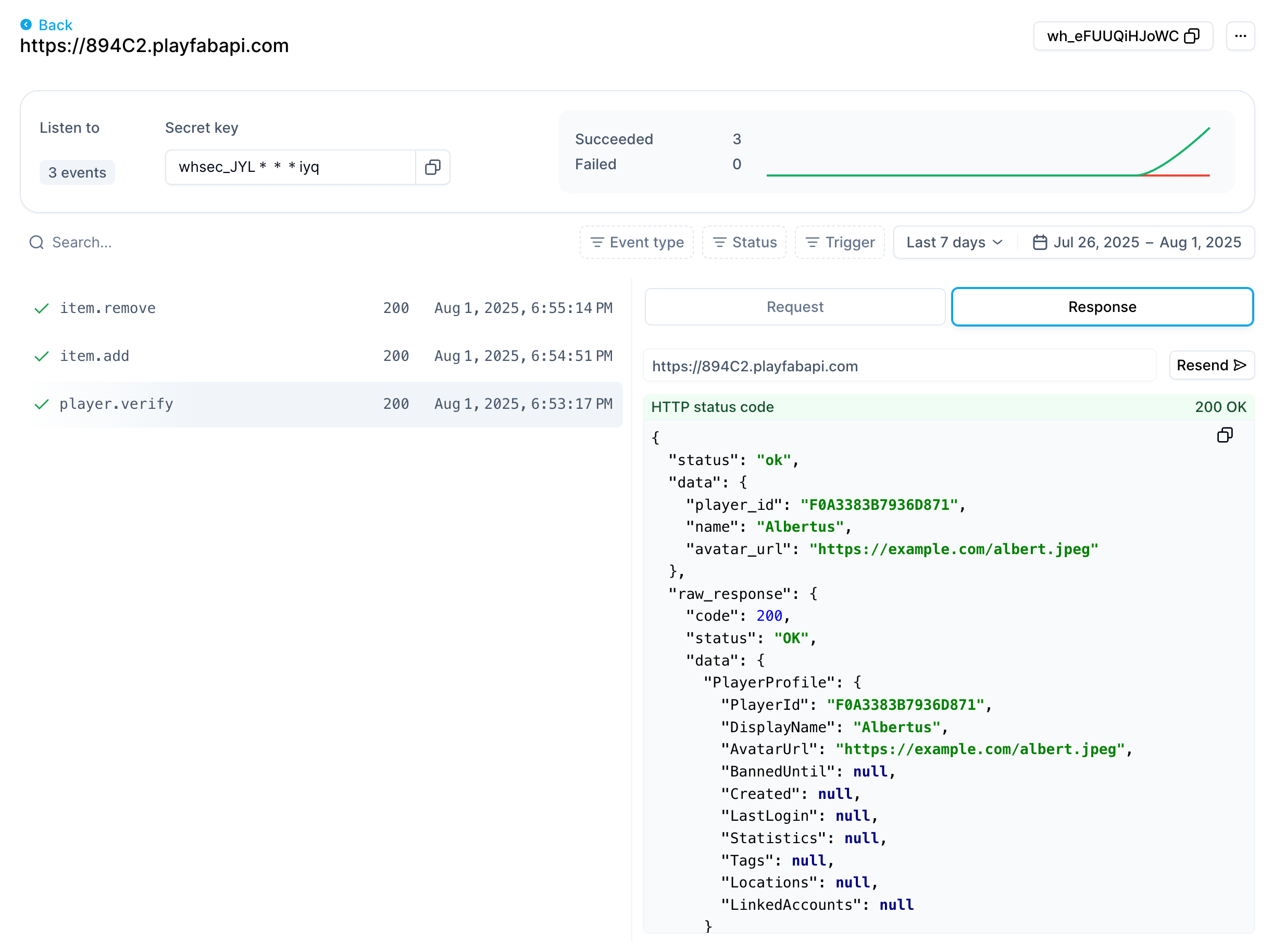
Once installed, a PlayFab API endpoint will be automatically created in your Aghanim Dashboard under Webhooks, ready to handle player verification and inventory management events. You can view detailed request and response logs there to see exactly how your PlayFab integration is working.

How It Works
Once configured, the PlayFab integration handles the following webhook events automatically:
Player Verify
- Handles the player.verify webhook event
- Calls PlayFab's
GetPlayerProfileAPI to verify player existence - Returns player profile data including display name and avatar URL
- Used during authentication flows to validate players
Item Add
- Handles the item.add webhook event
- Calls PlayFab's
GrantItemsToUsersAdmin API to add items to player inventory - Grants items based on successful purchases or manual grants
- Stores granted item instance IDs for potential future removal
Item Remove
- Handles the item.remove webhook event
- Calls PlayFab's
RevokeInventoryItemsServer API to remove items from player inventory - Only removes items that were previously granted through Aghanim
- Uses stored item instance IDs from the original grant operation
Important Notes
- SKU Matching: Ensure your Aghanim store item SKUs exactly match your PlayFab catalog Item IDs.
- No Retry on Error: PlayFab operations don't support idempotency, so failed requests won't be automatically retried to prevent duplicate operations.
Need help?
Contact our integration team at integration@aghanim.com