Aghanim-Discord Login Integration
This guide explains how to integrate Aghanim with Discord OAuth2 to enable users to authenticate using their Discord accounts when accessing your game hub.
Requirements
- A Discord Developer Account.
- A registered Discord application with OAuth2 configured.
- Client ID for your Discord application.
Step 1: Get Your Discord Application Client ID
If you already have a Discord application set up for your game, you can skip the application creation and simply locate your existing Client ID.
- Go to the Discord Developer Portal.
- If you need to create a new application:
- Click New Application
- Enter an application name and click Create
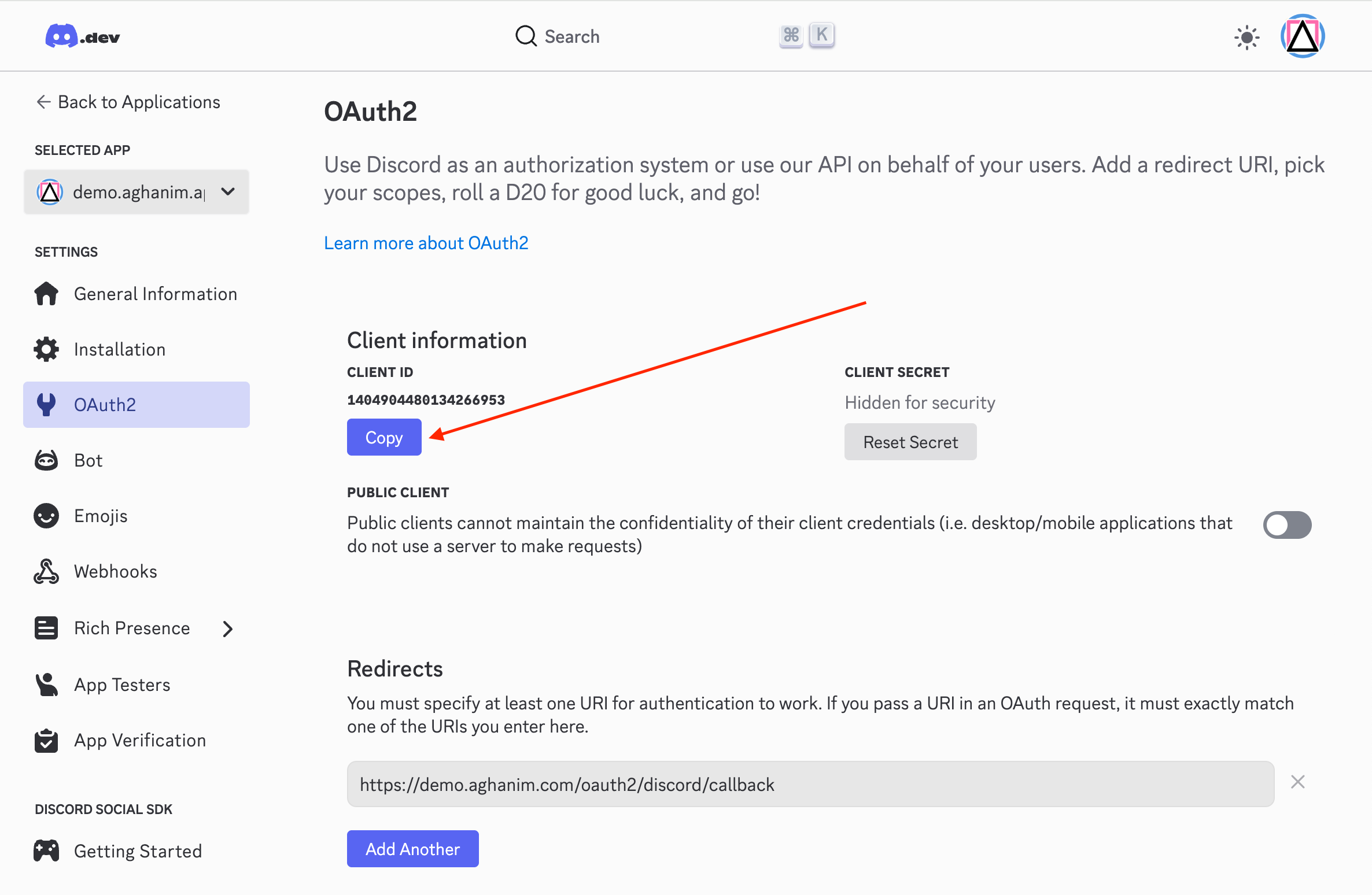
- Navigate to the OAuth2 tab
- Add your authorized redirect URIs:
Replace
https://<GAME_HUB_DOMAIN>/oauth2/discord/callback<GAME_HUB_DOMAIN>with your game hub's domain (e.g.,demo.aghanim.com)
- Copy the Client ID for use in the next step.

Step 2: Configure the Integration in Aghanim
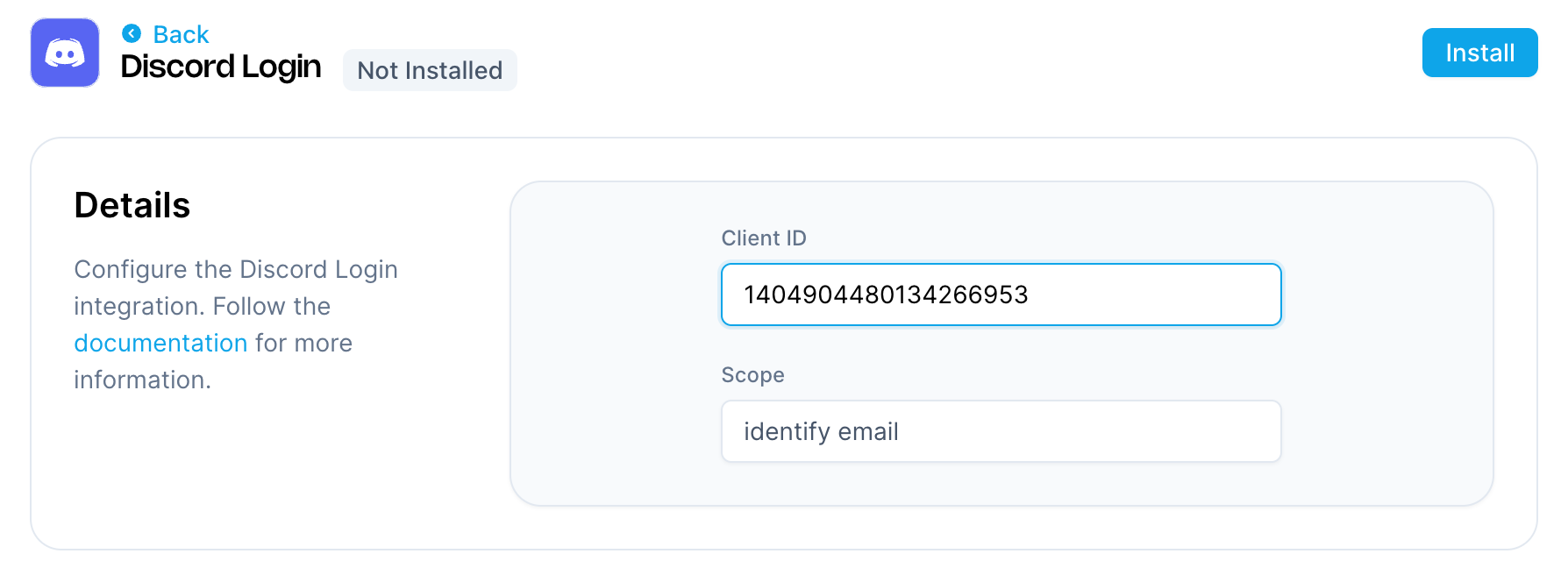
- Go to the Aghanim Dashboard → Aghanim Connect → Discord Login.
- Fill in Client ID – your Discord application Client ID from the previous step.
- Click the Install button to enable the integration.

Step 3: Configure the Login Method on the Game Hub
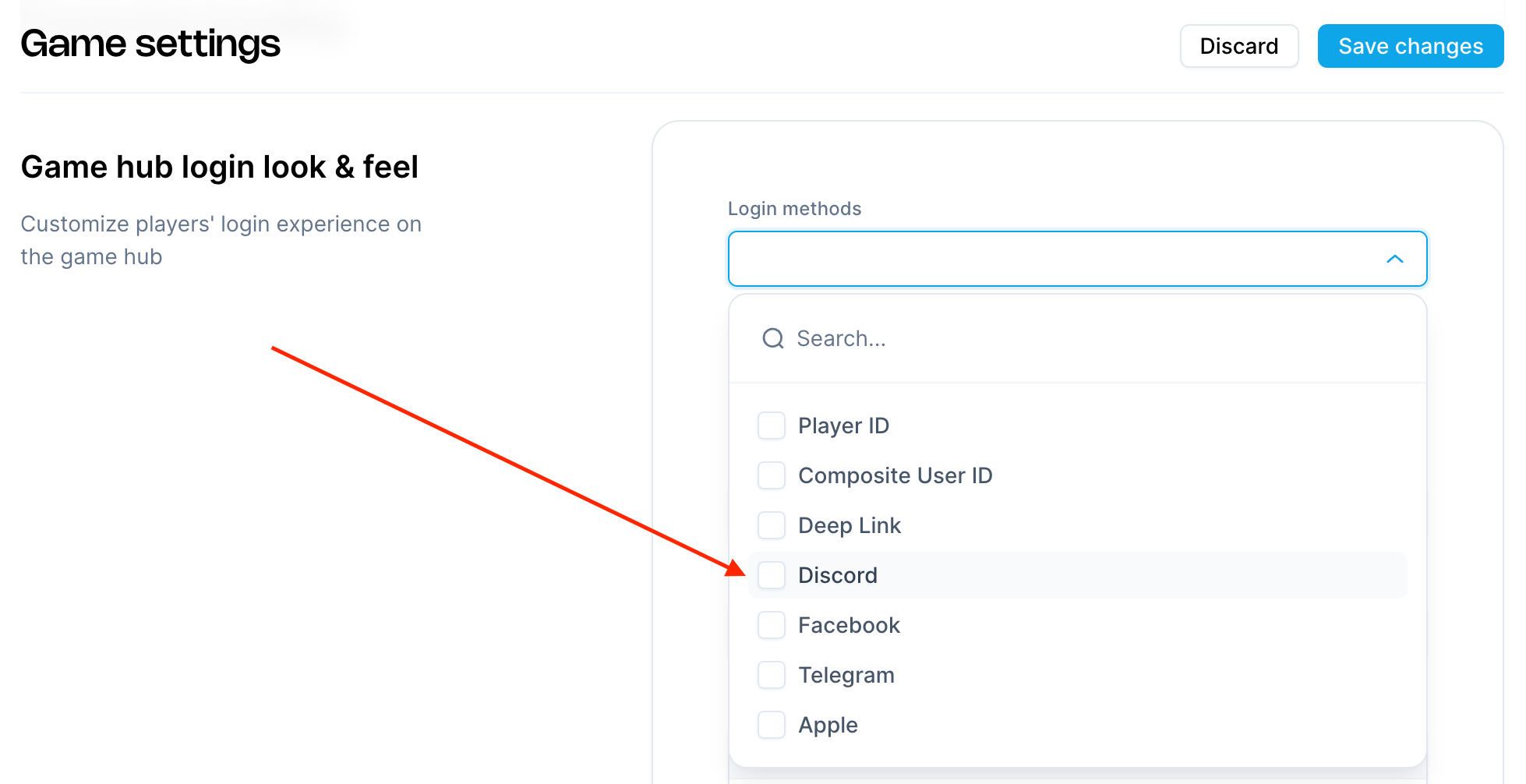
- Navigate to Game → Settings in the Aghanim dashboard.
- Under Game hub login look & feel, click the Login methods dropdown.
- Select Discord from the list of login options.
- Click Save changes.

Step 4: Set Up Player Verification
Set up player verification by following the Social Authentication guide.
Once configured, users will be able to sign in to your hub using their Discord account credentials.
Need help?
Contact our integration team at integration@aghanim.com