Facebook News Plugin
This guide explains how to use the Facebook News plugin to import posts from Facebook and automatically create news in Aghanim. The plugin allows you to seamlessly sync your Facebook posts as news content in your game hub.
Overview
The Facebook News plugin enables automatic import of posts from your Facebook accounts and converts them into news articles in your Aghanim game hub. This integration helps you keep your community updated with the latest news and announcements from your Facebook presence.
Requirements
- Facebook account with posts you want to import
- Administrator rights on the Facebook page/account from which posts will be imported
- Administrative access to Aghanim dashboard
- No pre-configuration required
Installation and Setup
Step 1: Install the Plugin
- Navigate to the Integrations section in your Aghanim dashboard
- Find the "Facebook News" plugin
- Click the Install button
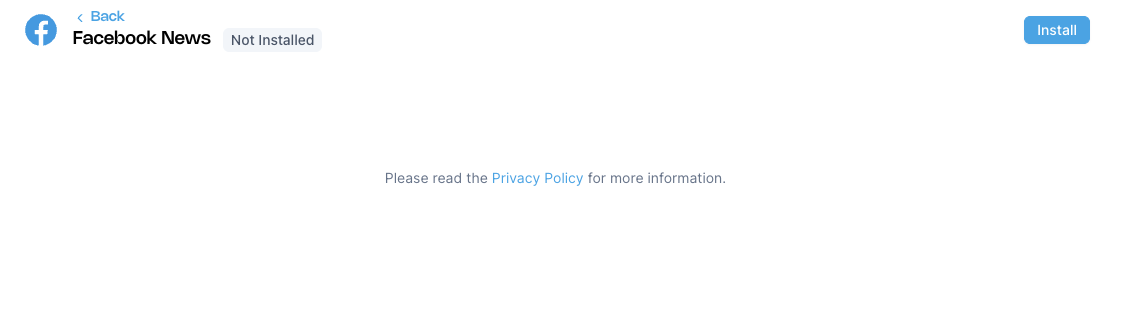

No additional configuration is required before installation.
Step 2: OAuth Authorization
After clicking the Install button, you will be redirected to Facebook for OAuth authorization:
- The Facebook OAuth authorization flow will automatically start
- Log in to your Facebook account if not already logged in
- Grant the necessary permissions to allow Aghanim to access your Facebook posts
- Complete the authorization process
Step 3: Select Account
Once the OAuth authorization is successful, you will see an account selection interface:
- A dropdown menu will appear showing available Facebook accounts/pages where you have administrator rights
- Select the account from which you want to import posts
- Confirm your selection
Note: Only Facebook pages/accounts where you have administrator rights will be displayed in the selection dropdown.
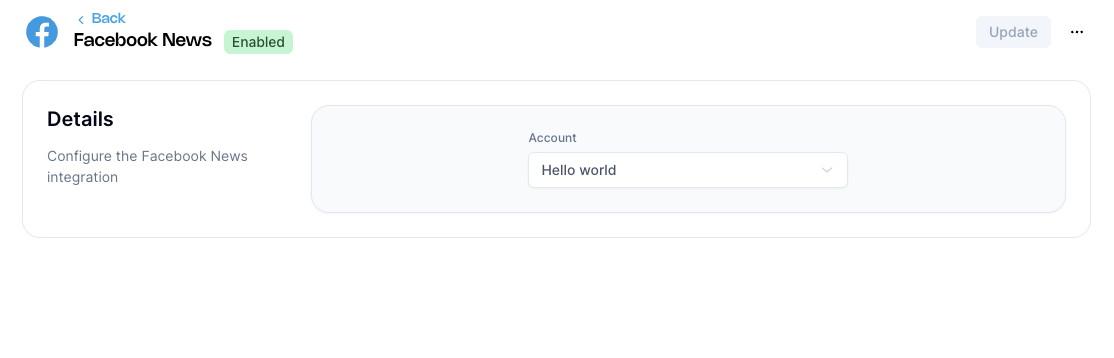

Step 4: Configuration Complete
After selecting your account, the plugin will be fully configured and ready to import posts from your selected Facebook account.
How It Works
Once configured, the Facebook News plugin will:
- Monitor Posts: Automatically monitor your selected Facebook account for new posts
- Import Content: Import post content, including text, images, and metadata
- Create News: Convert imported posts into news articles in your Aghanim game hub
- Sync Updates: Keep the news content synchronized with your Facebook posts
Features
- Automatic Import: No manual intervention required after setup
- Real-time Sync: Posts are imported and converted to news in near real-time
- Rich Content: Supports text, images, and other media from Facebook posts
- Account Selection: Choose specific Facebook accounts to import from
- Seamless Integration: News appears naturally in your game hub's news section
Post Processing
Imported Facebook posts will be automatically formatted as news articles with:
- Original post text as the news content
- Images and media preserved
- Publication timestamp maintained
- Author information from the Facebook account
Troubleshooting
Authorization Issues
If you encounter problems during the OAuth authorization:
- Verify Administrator Rights: Ensure you have administrator rights on the Facebook page/account you want to import from
- Ensure you have the necessary permissions on the Facebook account
- Check that third-party app access is enabled in your Facebook settings
- Try clearing your browser cache and cookies
- Attempt the authorization process again
Need help?
Contact our integration team at integration@aghanim.com