Aghanim-Telegram Login Integration
This guide explains how to integrate Aghanim with Telegram to enable user authentication via a Telegram bot. This allows users to log in to your hub using their Telegram credentials.
Requirements
- A Telegram account and access to the BotFather.
- A registered bot with a Bot Username and Bot Token.
Step 1: Create a Telegram Bot
- Open Telegram and search for @BotFather.
- Start a chat and send the command
/newbot. - Follow the prompts to:
- Set the bot name (e.g., “GameHubLoginBot”)
- Choose a unique bot username (must end in
bot, e.g.,gamehub_login_bot)
- After creation, you’ll receive a Bot Token (e.g.,
123456:ABC-DEF1234ghIkl-zyx57W2v1u123ew11). - Optionally, configure the bot icon and description via
/setuserpicand/setdescription.
Step 2: Configure the Integration in Aghanim
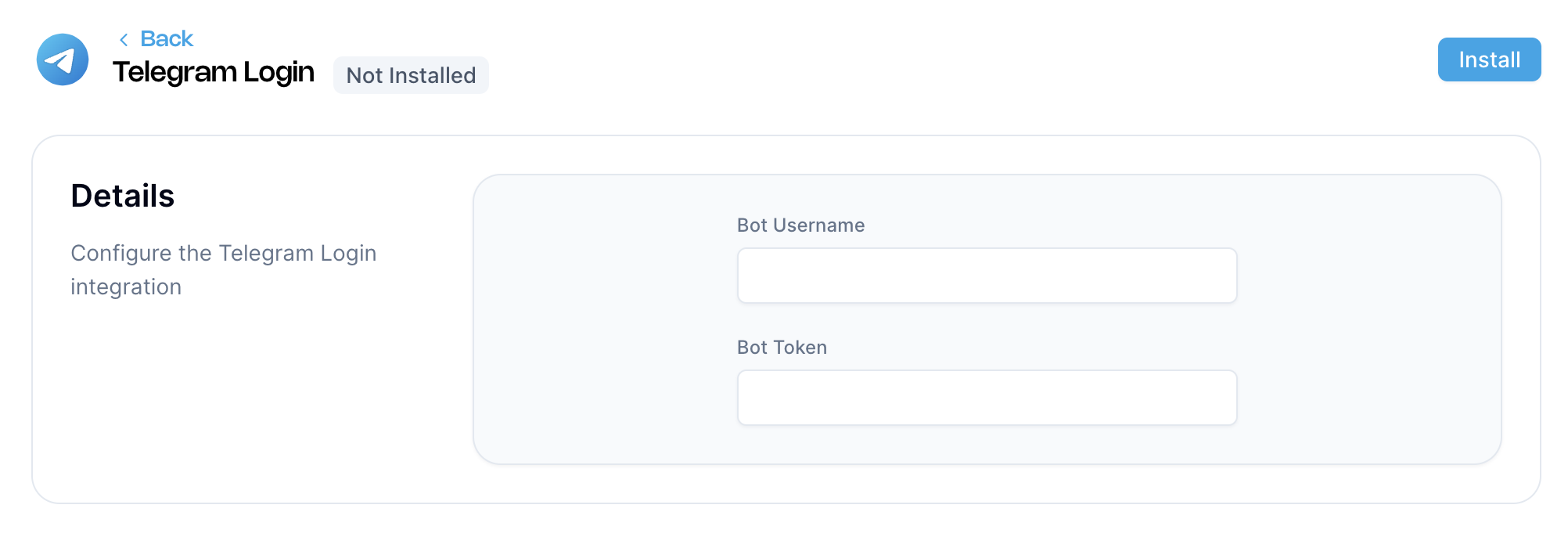
- Go to the Aghanim Dashboard → Aghanim Connect → Telegram Login.
- Fill in the required fields:
- Bot Username – the handle of your Telegram bot (e.g.,
gamehub_login_bot) - Bot Token – the token generated by BotFather
- Bot Username – the handle of your Telegram bot (e.g.,
- Click the Install button to activate the integration.

Step 3: Configure the Login Method on the Game Hub
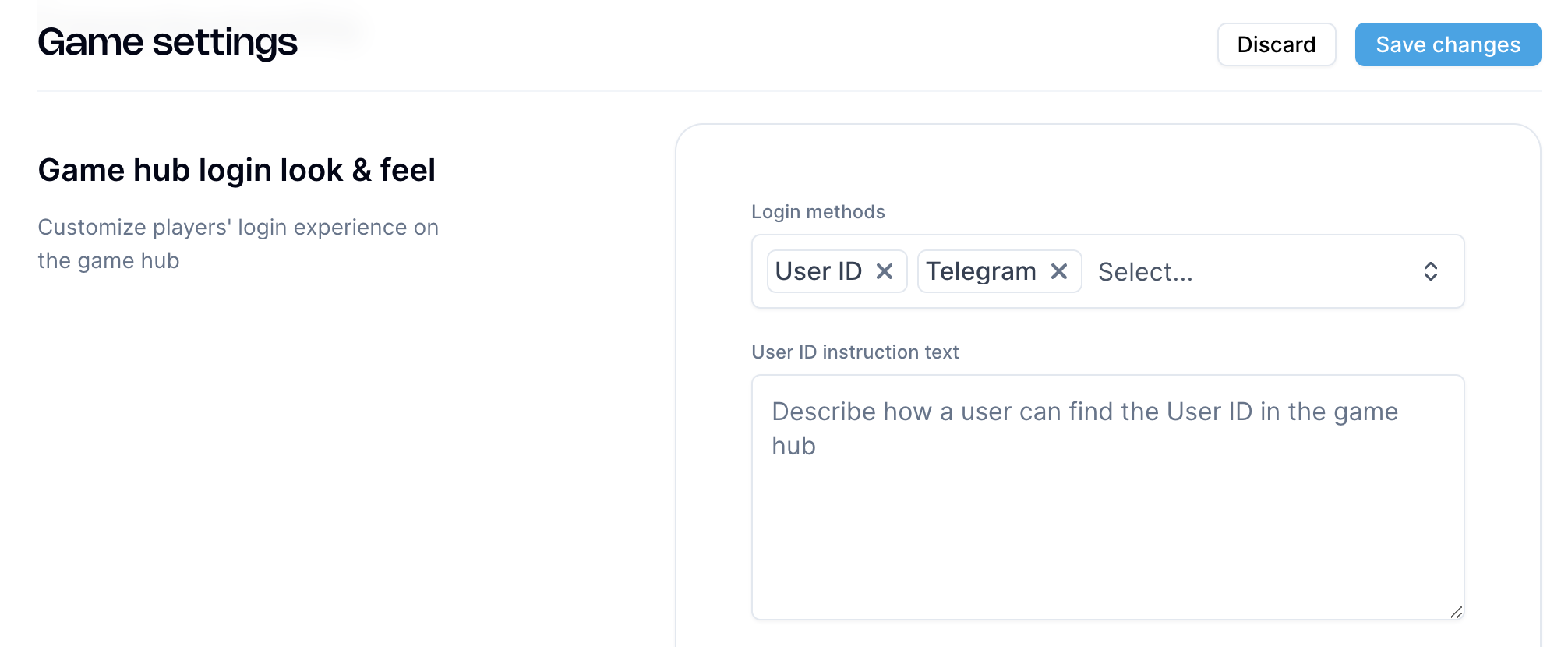
- Navigate to Game → Settings in the Aghanim dashboard.
- Under the Game hub login look & feel section, open the Login methods dropdown.
- Select Telegram from the list of available methods (you can select multiple).
- Click Save changes to apply the configuration.

Once saved, players will be able to use Telegram to log in to your game hub.
Need help?
Contact our integration team at integration@aghanim.com